
Mobile Telephony Integration with Salesforce: Turn Your Customer Conversations into a Revenue Driver
Un1ty is the communication platform that integrates your business telephony with your CRM.
With the Salesforce integration, Un1ty enables you to centralize all your customer communications within your CRM—so you never miss critical information and can capitalize on the right signals.
Key Features of the Salesforce Integration with Un1ty Mobile Telephony
- Seamless integration with your existing communication stack: Connect your current communication platform directly to Salesforce. Compatible with Microsoft Teams, Cisco, Webex, 3CX, Google Voice, and Asterisk.
- Native SIM and international calling at no extra cost: Ensure superior call quality for your field teams with seamless international calling, both in France and globally, without additional charges.
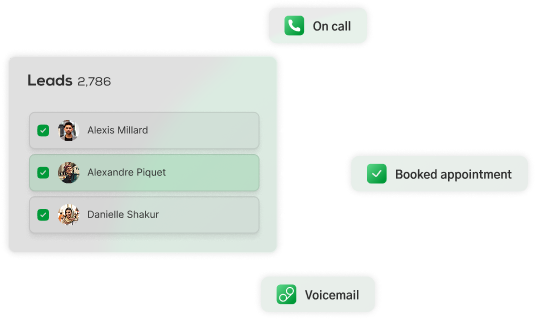
- All customer conversations centralized: Un1ty is an omnichannel communication platform that centralizes all your customer interactions in your CRM (calls, SMS, WhatsApp, Messenger).
- AI-powered features for sales performance: Leverage AI call summaries and sentiment analysis dashboards directly within Salesforce activity logs to boost your sales teams’ efficiency.
Benefits of Integrating your Mobile Telephony with Salesforce
- Communicate effortlessly with your customers: Across all channels, with consistent call quality and no risk of data loss.
- Boost team productivity: All customer interactions are logged and shared, improving data transparency across teams. AI features reduce time-consuming manual tasks and data entry.
- Drive performance and enhance customer experience: The Un1ty x Salesforce integration provides complete visibility into your customer interactions, with reporting and sentiment analysis to help you stay proactive and anticipate risks and opportunities.
Not a Un1ty customer yet?
Discover our flexible, fully integrated communication platform for free.
Get started for free
How to Install the Salesforce Integration with Un1ty
Installation is fast and straightforward—in just 6 steps:
- Log in to your Un1ty account. Don’t have one yet? Get started here.
- From your Un1ty dashboard, click on “Plan”, then “All integrations” at the bottom of the page.
- Select the Salesforce integration and click “Add” to start the installation.
- You will be redirected to Salesforce for authorization. Once approved, you will be redirected back to Un1ty.
- Your integration is ready! Simply customize your setup by selecting the phone numbers you want to connect to your Salesforce account.
- Click “Save” to activate the integration and start logging your calls and communications into your CRM.
Using multiple Salesforce accounts? You can connect multiple accounts to different phone numbers.
How the Salesforce Mobile Telephony Integration Works
The integration is built using industry-standard security protocols (OAuth 2.0, secure REST APIs) and ensures:
- Full GDPR compliance
- EU-based hosting (ISO 27001 certified)
- Complete traceability of data flows and synchronization logs
The setup is simple and fully supported by our technical team.
To learn more, please refer to our data privacy policy.
Unify your voice and data.
Test the power of connected telephony.

Our customers testimonials





We work with Un1ty with several of our companies and we are very satisfied with the service provided as well as the support!

Lisa Chang
I’ve been a Un1ty customer for a while now (I even knew Mon Mobile Pro!!). It’s a pleasure working with them — I’ve had no communication issues with the technical team, who always respond quickly and efficiently.

Christophe Guillard
“They never let us down and regularly check in to ensure everything is running smoothly. I highly recommend their services to anyone looking for a reliable, competent, and customer-focused partner.”

Aline Bermudez

.svg.png)
